
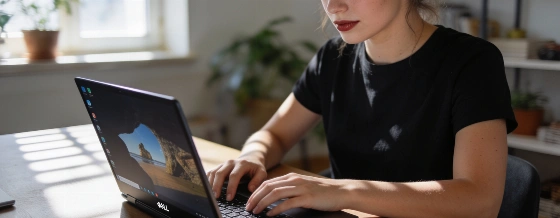
The Dell XPS 13 2026, powered by Intel Wildcat Lake, enters the crowded ultrabook market with promises of strong build quality and efficient performance. But how does it actually perform against Apple and Windows competitors in everyday use and benchmarks?
The Dell XPS 13 (2026) has to prove itself where it counts: battery life and real-world performance. Unlike many notebooks that slow down when unplugged, the XPS 13 holds its own in demanding tasks. Cinebench scores stay nearly the same on battery, but web browsing speeds drop, showing the compromises of Intel's Wildcat Lake platform.
Storage is a clear strength. The Gen 4 SK Hynix NVMe SSD inside the XPS 13 regularly hits over 6GB/s read and 5GB/s write speeds in ATTO benchmarks. Everyday tasks and file transfers move quickly, and this efficiency helps the battery last longer away from the outlet.
Inside, Dell uses Intel's Core 5 320 processor-a 6-core chip that can reach 4.6 GHz. Buyers can choose between 8 GB or 16 GB of LPDDR5x RAM at 7467 MT/s. Both versions come with a 512 GB PCIe Gen 4 SSD, as confirmed by Dell and independent reviews. While Wildcat Lake is built for efficiency, actual performance depends a lot on memory size and cooling, especially when multitasking.
Connectivity is simple and focused on portability: the XPS 13 Wildcat Lake model has two USB-C ports with DisplayPort 2.1 and Power Delivery. Dell prioritizes a slim, premium design over a wide range of ports, following the trend among European ultrabooks to favor minimalism and easy transport. For Brazil, Dell will offer locally made XPS 13 units starting 29 September 2026, part of its global production and regional adaptation strategy.
Recent independent reviews describe the XPS 13 2026 as a strong everyday performer, but note that its speed depends on memory, cooling, and the type of work-matching the article's point that browser performance can lag even when other tasks run well.
Compared to recent competitors like the MacBook Neo and Lenovo IdeaPad Slim 3i, the XPS 13 shows a mixed profile. In Speedometer 3.0 browser tests, it trails both the IdeaPad and MacBook Neo, likely due to its lower-clocked Core 5 320. Web browsing is smooth, but it's not the fastest in its class.
Geekbench v6.5 results are more nuanced. The XPS 13 edges out the IdeaPad Slim 3i, probably thanks to Dell's cooling and system tuning, even though the Lenovo chip is faster on paper. In Cinebench 2026, which tests 3D rendering, the XPS 13 falls behind most rivals in single-threaded tasks but beats the MacBook Neo in multi-threaded performance, just behind the IdeaPad.
In PCMark 10 Applications, which simulates Microsoft Office and Edge browser use, the XPS 13 outperforms the IdeaPad Slim 3i. Fast storage and good cooling seem to give Dell an advantage in productivity tasks.
Video editing and local AI
For creators, the XPS 13 does well in Puget Bench for Creators with Davinci Resolve. Despite its mid-range Core 5 320, it outperforms the IdeaPad Slim 3i in video editing and encoding, though it can't match more expensive machines. In local AI tasks, the UL Procyon AI Computer Vision benchmark shows the XPS 13 ahead of the IdeaPad but behind higher-end systems. Its basic NPU delivers 17 TOPS for features like webcam background blur and subject tracking. German-language coverage has mentioned both entry-level Core Series 3 (Wildcat Lake) and Core Ultra Series 3 (Panther Lake) options for the XPS 13, with the Ultra models supporting local AI processing and Copilot+ PC features. This reflects the growing role of on-device AI in premium ultrabooks.
Gaming and graphics limits
Gaming is not the XPS 13's focus. In 3DMark CPU Profile and Steel Nomad Lite, its Core 5 320 and basic 2-core GPU lag behind all rivals, confirming it's not built for graphics-heavy work. Real-world gaming with F1 25 and The Talos Principle II at 1080p produces single-digit frame rates unless settings are lowered or resolution scaling is used. Even then, only casual gaming is practical. The XPS 13 barely beats the IdeaPad in The Talos Principle II by a single frame per second.
Everyday use and battery life
On battery, the XPS 13 shows a split personality. Light browser benchmarks like Speedometer drop sharply, but heavy creative workloads in Cinebench remain steady. This makes it a reliable option for content creation on the go. Similar patterns have been seen in other ultrabooks, as reported with the Acer Swift Go 16 AI, where battery performance can make or break the experience.
The Dell XPS 13 (2026) is not a universal winner. Its strengths-premium build, fast storage, and steady productivity-are balanced by average browser speed and limited gaming ability. For users who care most about office work, content creation, and battery life, it stands out as a refined, efficient choice. Dell's hardware and tuning deliver where it matters for most users, even if Apple and some Windows competitors still lead in certain benchmarks.