
Acer Swift Go 16 AI promises a large display and robust design for productivity users, but its middling performance and underwhelming AI features leave it trailing behind more compelling rivals.
Seventeen hours of battery life and a sturdy metal chassis should make the Acer Swift Go 16 AI a strong contender for anyone looking for a productivity laptop. But even with these strengths, it gets lost among competitors that offer more for the same price-or less.
The main selling point, its AI integration, disappoints on closer look. The included Acer Intelligence Space app has a few AI tools, but the digital assistant runs on outdated Llama tech and struggles with basic questions. The image generators and workspace helpers are awkward to install and add little value. Microsoft Copilot+ is here too, but that's standard on any recent Windows 11 laptop, not a unique feature.
Configurazioni e compromessi
Acer's approach to configurations is confusing. The entry-level Swift Go 16 AI comes with an OLED touchscreen, but if you pay more for an AMD model, you get a less vibrant IPS LCD instead. The top AMD Ryzen AI 9 465 version has 32GB RAM and a 1TB SSD, but still no OLED. The mid-range AMD Ryzen AI 7 445 model-tested here-sometimes drops to $749.99 if you catch a sale. Across the lineup, the hardware is solid but never stands out, and the naming conventions make it easy to mix up the Swift 16 AI and Swift Go 16 models.
Official specs show the Swift Go 16 AI family split between Intel and AMD platforms, with big differences in displays and processors. For example, the Intel-based Swift Go 16 SFG16-74-73V7 comes with a Core Ultra 7 258V, 32GB LPDDR5X RAM, a 16-inch OLED WUXGA+ display, and Windows 11 Home, showing that premium OLED panels and new Intel AI hardware are available in some versions on Acer's official portal. In contrast, AMD models like the Ryzen AI 7 350 have a 16-inch 2048×1280 IPS screen and 32GB LPDDR5X, but no OLED, highlighting the inconsistent features across the range.
Acer continues to expand the Swift/Swift Go family with both Intel Core Ultra and AMD Ryzen AI platforms, mixing display types and configurations in a way that increases the risk of buyer confusion.
- Independent Market Analysis, Product Lineup Review (source)
Design e usabilità
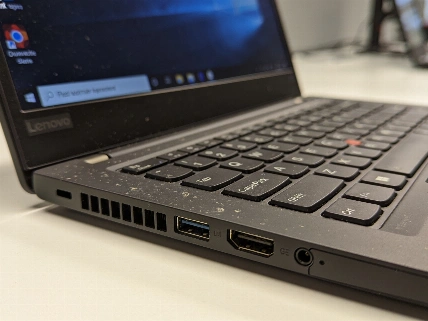
The Swift Go 16 AI's design is one of its few clear strengths. The all-metal chassis, laser-etched lid, and 3.53-pound weight strike a good balance between durability and portability. It's heavier than the Asus Zenbook A16 but lighter than the Dell 16 Plus, and slim enough for most backpacks. Port selection is generous: HDMI, USB-A, two USB4 Type-C, microSD, and a Kensington lock. But once you plug in a mouse, keyboard, headset, and external display, every port is used-so power users will need a hub.
The 16-inch IPS touchscreen is roomy, making multitasking and spreadsheets easy. Still, the display's brightness and color accuracy are average, with muted colors and a peak of 353 nits. The keyboard is a highlight: full-sized, backlit, and paired with a large touchpad that stays out of the way. Audio is clear in the treble but lacks bass, and the 5MP webcam's privacy shutter is a nice touch-even if the image looks washed out and the microphone makes voices sound distant and tinny. Anyone who relies on video calls will want an external webcam and headset.
Prestazioni e test concreti
Benchmarks show the Swift Go 16 AI is adequate, but not impressive. In productivity and content creation tests, it sits in the middle of the pack, sometimes beating rivals in storage speed but never leading in CPU or graphics. Everyday use is smooth for word processing, web browsing, and streaming, but the system never feels especially fast. Graphics performance is modest, with the integrated Radeon 840M or 880M falling behind Apple's M4 MacBook Air and even the Dell 16 Plus. This is not a laptop for creators or gamers.
Battery life is where the Swift Go 16 AI does well, lasting over 17 hours in video playback-enough for a full workday and more. Still, the Asus Zenbook A16 and Apple MacBook Air 15-Inch both last longer, and their screens look better. If battery life is your top priority, the difference is small, but if you want a premium display, the competition is ahead.
AI che non convince
Despite the "AI" branding, the Swift Go 16 AI's artificial intelligence features feel like an afterthought. The included tools are clunky, slow, and sometimes unreliable. The digital assistant can't answer basic questions about the laptop itself, and the image generators are hard to install and unimpressive. Anyone familiar with online AI tools will find these redundant or worse. Even newcomers will likely ignore them after a few minutes of frustration.
If you're looking for a productivity laptop that truly uses AI in a meaningful way, the Swift Go 16 AI isn't it. Real innovation is happening elsewhere, like in the OLED-equipped Zenbook A16 or the battery-record-setting Lenovo ThinkPad X9 15p Aura Edition reported earlier-laptops that offer real benefits, not just marketing.
Il verdetto editoriale
Acer's Swift Go 16 AI does enough to avoid major criticism, but not enough to stand out. The comfortable keyboard and solid build are let down by a display that doesn't impress, AI features that add little, and performance that trails the best in class. Even when discounted, the price doesn't make up for these shortcomings. In a market where every euro counts and rivals are pushing ahead with OLED screens and long battery life, the Swift Go 16 AI is a safe but forgettable choice. If you want more than "good enough," look elsewhere.