

Lenovo IdeaPad Slim 3 Gen 11 brings a roomy 16:10 display, a comfortable keyboard, and steady performance. It's a strong pick for work, study, or home.
Two weeks with the Lenovo IdeaPad Slim 3 Gen 11 show what matters most in a daily laptop. No flashy looks. No trend-chasing. Just a big, usable screen, a full keyboard, and hardware that keeps up with real life. This machine knows its job. It does it well.
The 15.3-inch WUXGA IPS display stands out right away. The 16:10 aspect ratio gives more vertical space. That helps with documents, spreadsheets, and endless browser tabs. The matte 400-nit panel cuts down glare. The 60Hz refresh and 45% NTSC color won't wow designers, but the size and clarity make multitasking easy. Lenovo also sells a 14-inch WUXGA IPS version with the same 400-nit brightness and 60Hz refresh. That's good news for anyone who wants something smaller.
Simple design, smart portability
The Luna Grey finish and plastic body keep things low-key. The build feels sturdy in daily use. At 16.9mm thick and 1.49kg, it's not ultra-light, but it's easy enough to carry for commutes or trips. Lenovo's MIL-STD-810H testing and a webcam privacy shutter add real-world toughness and security. That matters more than fancy metal for most people. The Slim 3 Gen 11 comes in 14-inch and 16-inch sizes. Model numbers like 14ARP10, 16ARP10, and 15IRU9 show Lenovo's push for choice across sizes and generations.
Even with its size, the laptop doesn't weigh you down. It's built for desk work, but slipping it into a backpack is no hassle. The 60Wh battery, Wi-Fi 6, and Bluetooth 5.3 keep it up to date for both work and travel.
Lenovo aggiorna la serie IdeaPad Slim 3 con configurazioni Gen 11 che includono display WUXGA IPS da 14 e 16 pollici, processori Intel Core 5 320, 16 GB di RAM DDR5 e SSD da 512 GB, posizionando il prodotto come notebook per l'uso quotidiano.
Keyboard and touchpad built for work
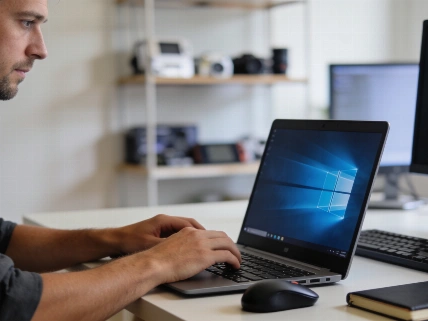
The full-sized keyboard, with a number pad, is a highlight. Key travel feels right. The backlight helps in low light. The number pad shifts the main keys a bit left, but anyone who's used a 15-inch laptop will know the trade-off. The trackpad is roomy and supports Windows gestures. It's not glass, but it works well for daily use.
Steady performance and real battery life
Inside, you get either an Intel Core 5 320 or Core Ultra 5 322, depending on region and model. There's 16GB DDR5 RAM and a 512GB PCIe Gen4 SSD. That's enough for heavy multitasking-lots of browser tabs, video calls, editing docs, and even some light gaming. Integrated Intel graphics handle casual games. Demanding games or creative work will hit the limits of the non-dedicated GPU fast. The 60Wh battery, as listed in Lenovo's specs, lasts a full workday. USB-C Power Delivery (45-65W) gives flexible charging.
The laptop runs quietly. Fan noise is barely there during office work. Even under load, it stays quiet. The base gets warm during long gaming sessions, but the keyboard stays cool. That keeps typing comfortable.
The 60Wh battery and Lenovo's Rapid Charge Boost get you through a full day of writing, browsing, and calls. Heavy use, like gaming, drains it faster. That's expected. The 65W charger is small, but uses a proprietary plug. You can charge with USB-C, but there's only one USB-C port. You'll have to pick between charging and plugging in accessories.
Ports and media: no shortcuts
Port selection is a real strength here. The IdeaPad Slim 3 has two USB-A ports, HDMI, an SD card reader, a 3.5mm audio jack, and one USB-C port with power delivery and DisplayPort. Most people won't need extra dongles. Just plug in and go. The FHD/1080p webcam with privacy shutter, found in European retail models, is a big step up from the old 720p standard. The SD card slot is handy for photographers and students.
The 1080p webcam gives sharper video calls than most in this class. Dual-array mics are fine for meetings. Dolby Audio speakers get loud enough for calls and casual videos. For music, headphones are still better.
Software and built-in AI tools
The laptop runs Windows 11 Home. It supports Microsoft's Copilot+ PC features, including AI tools like Generative Erase, Restyle, and Windows Recall. The new Windows Search, which understands natural language, is a real upgrade. Lenovo's Vantage app, now with the Lena virtual assistant, makes updates and troubleshooting easier. For Italian users, privacy and cybersecurity compliance is more important than ever, as recent Garante Privacy advisories on device data handling point out.
Still, it's not perfect. During testing, the laptop had a few surprise restarts. This happened even after all updates were installed. It's a reminder: even mainstream laptops can have software hiccups.
If you're looking at other options, the IdeaPad Slim 3's approach matches what we saw reported earlier in compact PCs. Focus on what matters. Skip the gimmicks. Deliver steady performance where it counts.
The IdeaPad Slim 3 Gen 11 doesn't try to be a creative studio or a gaming beast. Its strengths are clear: big, practical screen, comfy keyboard, lots of ports, and reliable everyday speed. The limits-modest color, one USB-C, integrated graphics-are honest and upfront. For students, professionals, and home users who want function over flash, this laptop nails the basics. No nonsense. No wasted features.