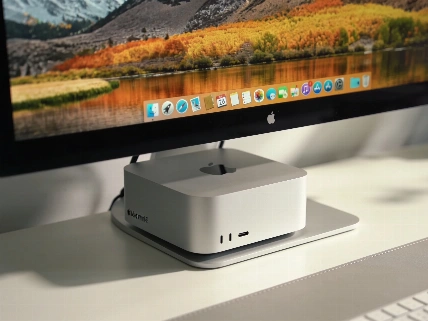

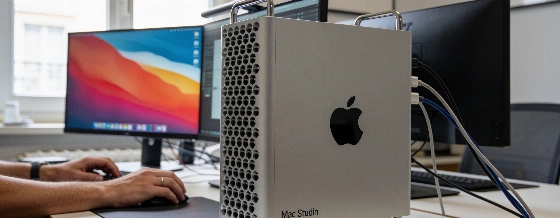
The Mac Studio M5 Max brings a jump in SSD speed big enough that even owners of the M4 Max or M3 Ultra might want to upgrade. With more external display options and a price increase, this is Apple's most uncompromising desktop yet.
Apple's Mac Studio M5 Max doesn't look different, but it changes the game for desktop speed. The big story isn't a new design. It's the SSD. The speed boost is so big that even people with last year's M4 Max or M3 Ultra have to ask themselves if it's time to move on. For power users, the older models now feel slow.
Performance is front and center. In test after test, the M5 Max Mac Studio beats the M4 Max by 20% or more. But the SSD is what really stands out. File transfers, app launches, and heavy data work all run faster. If you care about speed, the M5 Max is the clear pick.
Configurazioni e prezzi: la potenza si paga
The M5 Max Mac Studio comes in two main versions. The base model costs $2,499 and has an M5 Max chip with an 18-core CPU, 32-core GPU, and 36GB of unified memory, plus a 512GB SSD. The $5,499 M5 Ultra version can be set up with as much as 96GB of RAM. Independent listings show the M5 Max can go up to 128GB unified memory and reach 614 GB/s memory bandwidth. That's a big step up for creative and scientific work. SSD choices now start at 512GB and go up to 1TB, 8TB, or even 16TB in the top models. Apple is clearly aiming at users who need lots of fast storage.
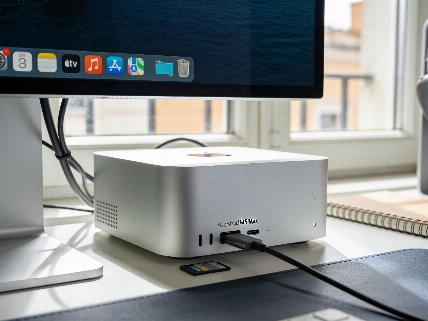
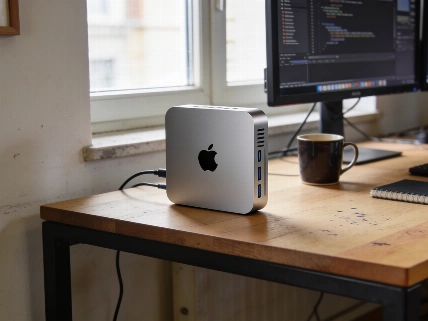
The outside hasn't changed since 2022. The ports are in the same places. You still have to buy your own keyboard, mouse, and display. But inside, it's a different story. The real upgrades are under the hood: more memory bandwidth and Thunderbolt 5 on the back. That means faster connections and quicker data transfers.
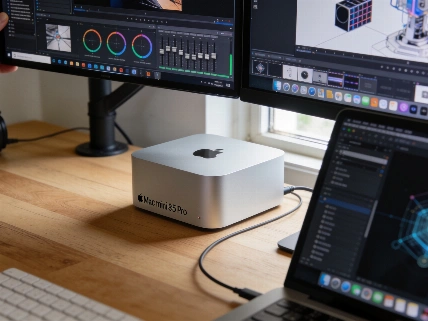
Apple Support now confirms that Mac Studio M5 Max can connect four displays over Thunderbolt at up to 6K/60 Hz or 4K/165 Hz, plus one display over HDMI at up to 5K/60 Hz, making it the most versatile Mac ever for multi-monitor professionals.
Display e connettività: più schermi, più velocità
External display support is better than ever. With Thunderbolt 5, the Mac Studio M5 Max can run up to five screens at once, with higher resolutions and more bandwidth. This makes it the most flexible Mac for people who need lots of monitors, like creative pros and data analysts. The back panel now lets you connect four displays over Thunderbolt at up to 6K/60 Hz or 4K/165 Hz, plus a fifth screen over HDMI at up to 5K/60 Hz, as explained in the official Apple Support guide.
For anyone watching high-end desktops, the SSD jump in the Mac Studio feels like the kind of leap you usually see in enterprise hardware. That's what earlier reports said about record-breaking SSDs. Now, Apple brings that speed to the creative desktop. Retail spec sheets say storage is up to twice as fast as the last Mac Studio, though outside benchmarks are still on the way.
Conviene davvero aggiornare?
Should you buy the M5 Max Mac Studio? If speed matters most, the answer is yes. The SSD alone makes it worth upgrading, even from last year's model. But if your work is all about AI, you might want to wait for future M-series chips with better AI features. Right now, the big gains are in storage and display, not neural processing.
Apple has built a desktop that puts performance first, even if it costs more. The M5 Max Mac Studio isn't for casual users. But for pros who count every second, it's the new standard. The SSD speed isn't just a side note-it's the main story, and it sets a pace that rivals will have a hard time matching soon.